Years ago employees would get a job with a company out of high school or college and stay with that company for 50 years, then retire. It wasn't unheard of for people to earn pensions or service benefits for many years tenured at the same company, but those days are nearly gone.
Today, it's become more commonplace for employees to change jobs often with some surveys suggesting that nearly 30% of top brass change companies yearly.
With so many executive job changes going on, it’s important for salespeople to keep up on who’s going where and doing what in order to know where to focus their sales efforts and be efficient with filling their pipeline.
If you want to know the best ways to get alerts on executive job changes, then here’s the real deal on the most effective methods.
Ways to Find Job Changes
There are a few ways to know when an employee, like executives, changes their job role or company. Some are more efficient and productive than others, as well as include additional features to help conduct outreach when isolated, if needed for not only growing pipeline, but conducting outreach.
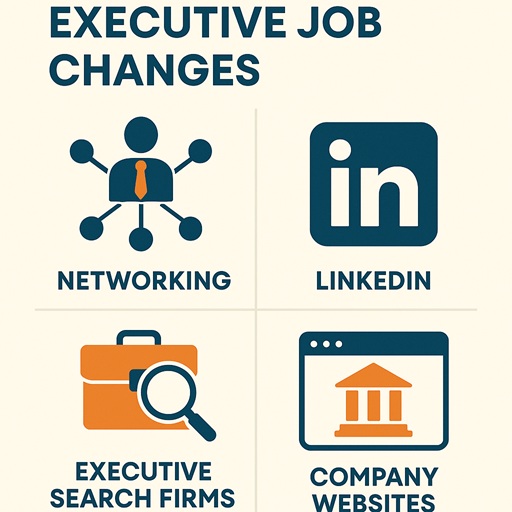
The most common or easiest way to find out if an executive changed their job is to do a basic web search on Google or Bing. This will often return tons of results, and depending on the uniqueness of the query or significance of the person, they may show up and provide some recent data on their status. Works great for executives at top companies.
The next option would be to do a manual check on the company website or even social network like LinkedIn. Some might even ask AI tools like Chatgpt and Gemini. The only problem with them is that they are trained on older data so they may not have recent events, which could limit their ability to know if the data is accurate or not for the executive job change.
That’s where Job Changes from Seamless.AI comes in. It’s a new search filter added to the existing platform to provide users with the ability to search through contacts by their role, like executives, with the recent job change or role history in consideration. This feature makes it easy for salespeople to find the right contacts and get them imported into the pipeline quickly for engaged outreach. Job Changes by Seamless.AI is a game changer for specialized targeting like executive job changes with pinpoint accuracy. Get started for free today.
Ways to Find Job Changes
In the past, networking events and even executive search firms would be a good option to keep track of executive job changes, but those channels often occur a higher cost with lower return. Checking event recaps or speaker attendee list is a good way to see who's where while not having to spend the cost to attend.
It’s one thing to be able to find executives by the recent company or job change, but tracking those changes and being able to get alerts when executives are on the move is a whole other game entirely.
This is where specialized tools using AI come in to take your contact data and route it to where it needs to go for you to have the best success. It’s not rocket science. It’s just ingenuity and some leg-work.
Steps to Create a Job Changes Alert
Step 1: Start with the basics. The first thing is to get the data you need. This can be done using one of the methods above, but the best way is to automate this with the Seamless.AI API. The data can come directly from the database to your CRM or other AI tool such as N8N.
Step 2: The second step is to create an Agent specialized to looking at the data for recent changes to flag. There are several methods for achieving this like a script that checks the delta of the before and after to see if the information changed. This would involve setting up a database and crawler to store and check the data when updates come in. Another option would be to use a tool like Seamless.AI to return only contacts that match the search criteria like changed job in last 30 days. This method would require less maintenance and overhead because it's only putting the data needed.
Step 3: Now that you have data and getting it flagged, the final step is to generate an alert and send it to a outlet for retrieval. This can be done using tools like Zapier, N8N, or other routing tool. What you do is when the data comes back that there was a job change, it fires the info or just a standard message that a new job change was tracked. The delivery can be to email, SMS, phone, or even directly into a CRM for outreach.
These steps will make it easy to map out a specific process for creating executive job change alerts that will help fill pipeline and generate new leads for sales growth.
Want to learn more about how Seamless.AI job Changes can help your company succeed, just book a demo today to speak to one of experts.
Sales intelligence and prospecting expert with years of experience to help sales teams grow and hit quota. Voted one of the top startups in America and rated as the highest software in Customer Satisfaction from G2 best software awards in 2025. Join our Reddit community for more product updates and sales tips. https://www.reddit.com/r/Seamless_AI/