Here's the scenario. It’s midweek, and you’re reviewing your CRM’s new leads. Some haven’t been touched in days, and they’re starting to collect cobwebs. While others are missing key details.
Your CMR is a bona fide mess, and while you scramble to make sense of anything, your reps keep asking the same question they always do: Who should I follow up with first?
This is where many sales teams get stuck. Without the right structures and processes in place, lead generation can quickly become a mix of incomplete records and missed opportunities.
Fortunately, HubSpot can come to the rescue! Despite popular belief, HubSpot is more than just a place to store leads. It can help you capture the right prospects, organize them intelligently, and move them through your funnel with clarity and speed.
In this guide, we’ll break down how to use HubSpot and Seamless for lead generation in a way that actually drives your pipeline.
What Is HubSpot Lead Generation?
At its core, HubSpot brings together your lead capture, organization, and nurturing efforts into a single system, ensuring nothing slips through the cracks as prospects move from curiosity and window shopping to being sales-ready.
On the capture side, HubSpot helps teams collect leads across multiple touchpoints: website forms, landing pages, gated content, live chat, and email campaigns. Every interaction feeds directly into the CRM, creating a centralized record and source of truth instead of scattered data points across tools.
Once leads are in the system, HubSpot’s real strength shows up in how it organizes and prioritizes them. Contact records automatically populate with activity history, engagement data, and lifecycle stages.
Why HubSpot Is Essential for Lead Generation?
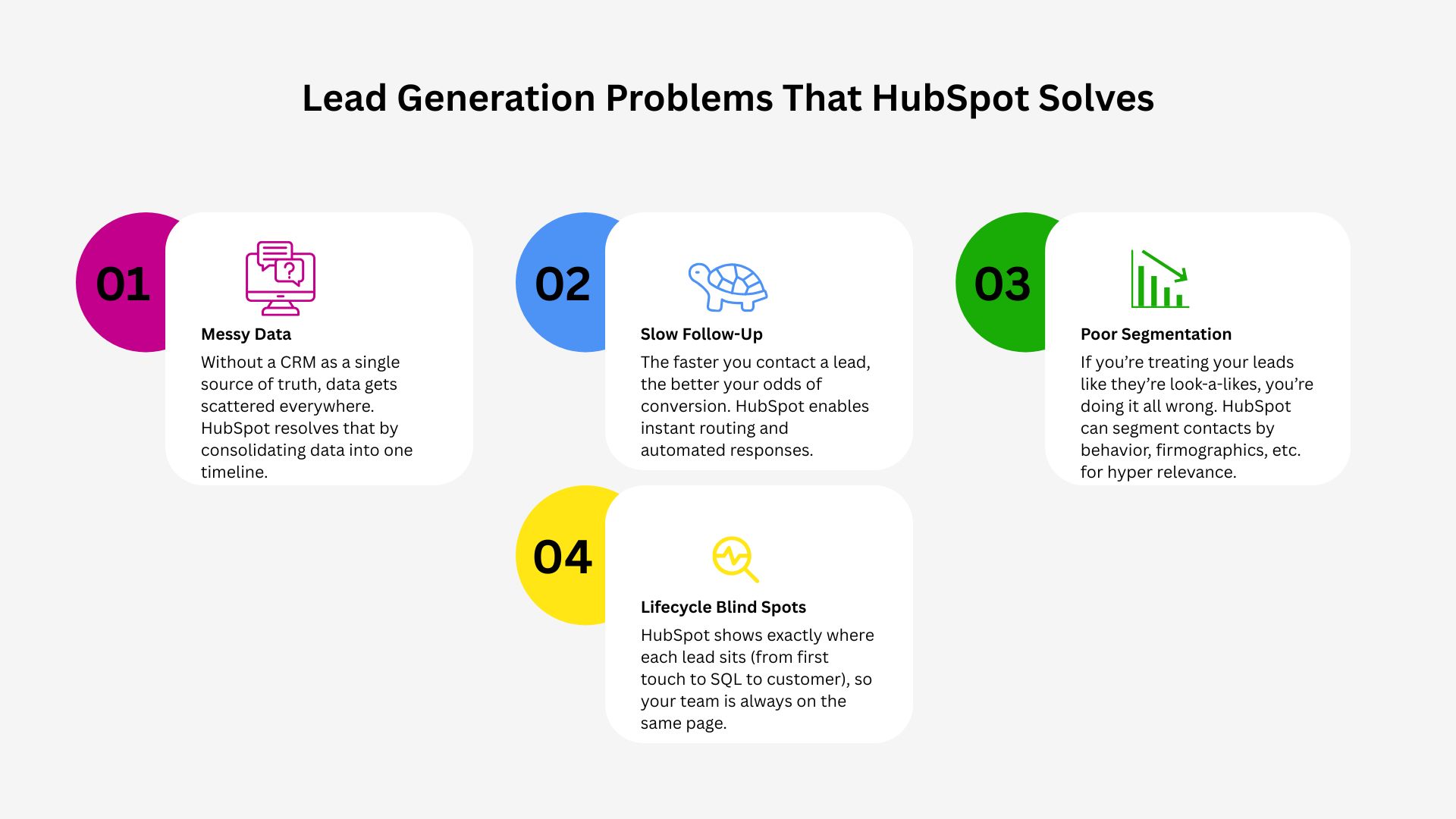
Believe it or not, a lack of leads is not the cause of most lead-generation problems. Yes, a dry pipeline is a pain, but the real culprits for all your lead woes are disorganization, delays, and blind spots.
Got a lead generation problem? HubSpot can solve it.
How Does Seamless Benefit Hubspot?
Seamless.AI helps solve these problems by identifying and prioritizing high-intent accounts so your marketing and sales teams stay on the same page, and reps aren’t guessing who to reach out to first. Once you find hot leads, Connect keeps your outreach (email + calling) workflow in one place instead of bouncing between tools.
HubSpot further solves these issues by acting as a single system of record.
Disorganized data – Without a centralized CRM, lead data gets scattered across forms, inboxes, spreadsheets, and tools. HubSpot automatically consolidates contact activity (emails opened, pages visited, forms submitted) into one timeline per lead.
Slow follow-ups – Despite what you may have heard growing up, when it comes to leads, slow and steady does not win the race. Speed matters. According to Harvard Business Review, companies that contact leads within an hour are 7 times more likely to qualify them than those that wait longer (Inc.com). Because the market is so saturated, if you want to have a chance at closing a lead, you have to be the first one in their ear. HubSpot can help speed things up by instantly routing and automating responses so leads don’t sit untouched.
Poor segmentation – When all leads look the same, reps treat them the same. HubSpot lets teams dynamically segment contacts by behavior, firmographics, lifecycle stage, and engagement, so you can discover the nuances from one lead to the next, and deliver relevant outreach.
No visibility into the lifecycle – HubSpot shows exactly where each lead sits (from first touch to SQL to customer), making it easier for sales and marketing to stay aligned and avoid taking any shots in the dark.
How to Use HubSpot for Lead Capture?
Effective lead capture isn’t about adding more forms (who needs more of those, anyway?). It’s about placing the right conversion moments at the right time.
Forms and Landing Pages
Use HubSpot forms on high-intent pages (pricing, product, demo). And instead of repeating the same questions, run progressive profiling that asks new questions and collects new information (HubSpot Knowledge Base).
For example, on someone’s first visit to your page, you might request the lead's email, but on the third visit maybe you request their role. This gradual process of gathering info gives you the insights to reach out with hyper-relevant messaging without burning out the prospect.
Pop-ups and Slide-ins
Use exit-intent pop-ups for content offers (i.e., whitepaper, slide deck, etc.) and slide-ins for mid-funnel pages. HubSpot’s targeting rules let you show different offers to first-time visitors versus returning ones.
Chatbots and Live Chat
HubSpot chatflows can qualify visitors in real time by asking simple questions (“What are you looking for today?”) and routing high-intent leads directly to sales.
CTAs that Adapt
Rather than have the same CTA pop up for any visitor, smart CTAs change based on who’s visiting. Where a known lead sees “Book a Demo," a new visitor may see “Download the Guide.”
How to Use HubSpot for Lead Nurturing
Not every lead is ready today. In fact, depending on the product you sell, most of your leads probably aren’t same-day buyers. Fortunately, if you have a longer buying cycle, HubSpot makes it easy to manage that reality, nurture your leads, and stay top-of-mind.
Automated Email Sequences
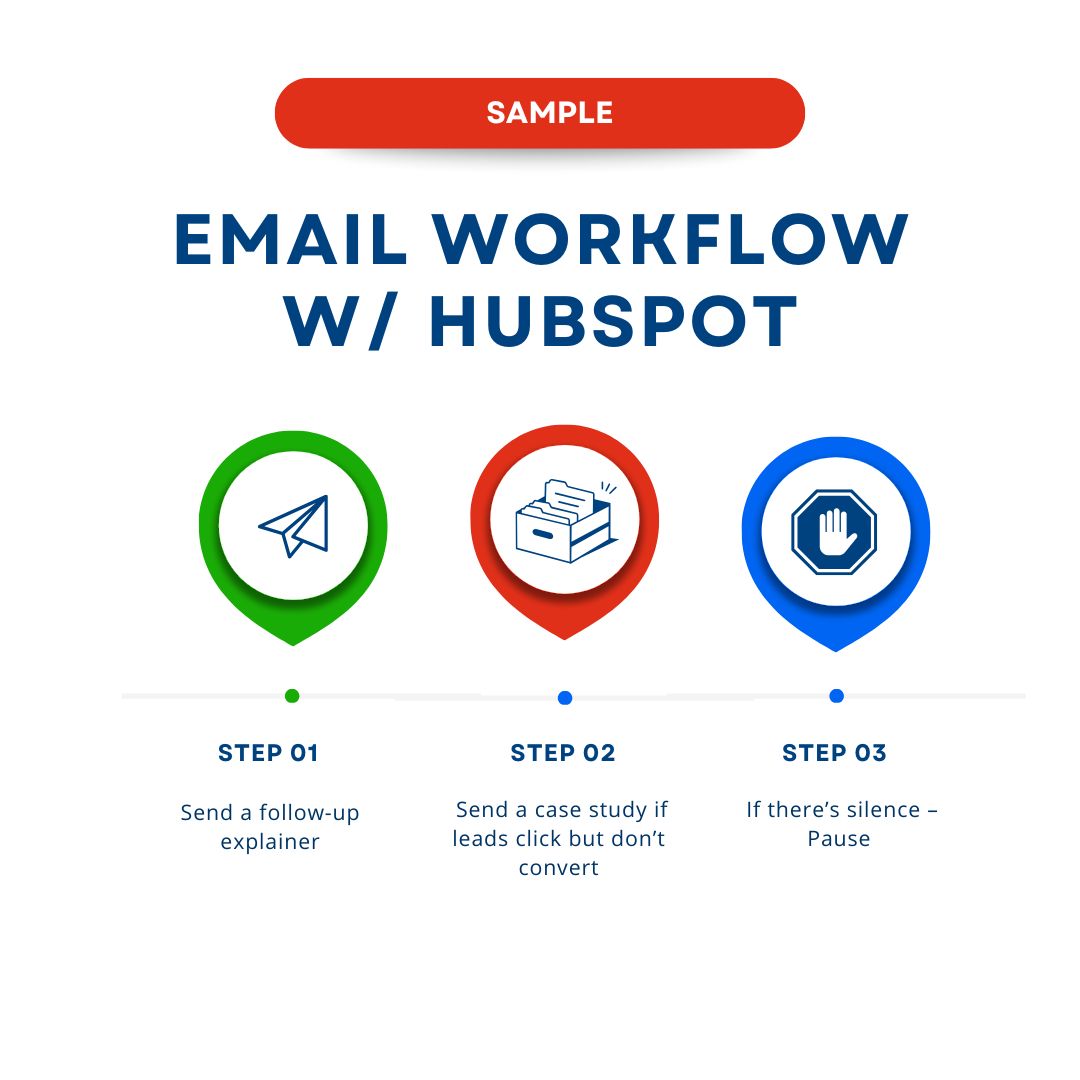
HubSpot helps you create behavior-based email workflows that gauge intent instead of time-based spammy blasts that tend to be overly generalized. For example:
You can run an email workflow that converts in 3 easy steps
If a lead downloads a guide, send a follow-up explainer
If they click but don’t convert, send a case study
If they go quiet, pause instead of spamming
Smart Workflows
Workflows can update lifecycle stages, assign owners, trigger internal alerts, or automatically enroll leads into new sequences. This removes manual handoffs, the leading cause of dropped leads.
Social Scheduling
While social alone rarely closes deals (we always recommend a multi-channel approach), HubSpot’s social tools help maintain a consistent top-of-funnel presence.
Engagement data (clicks, comments, visits) flows into the CRM, providing sales context on how leads found you, and you can follow up in those channels where they’re most active and therefore most likely to reply.
Personalized Content Recommendations
HubSpot smart content adapts emails and landing pages based on industry, role, or lifecycle stage. This keeps nurture content relevant, and it makes personal selling easy without having to build dozens of assets.
Lead Scoring and Qualification in HubSpot
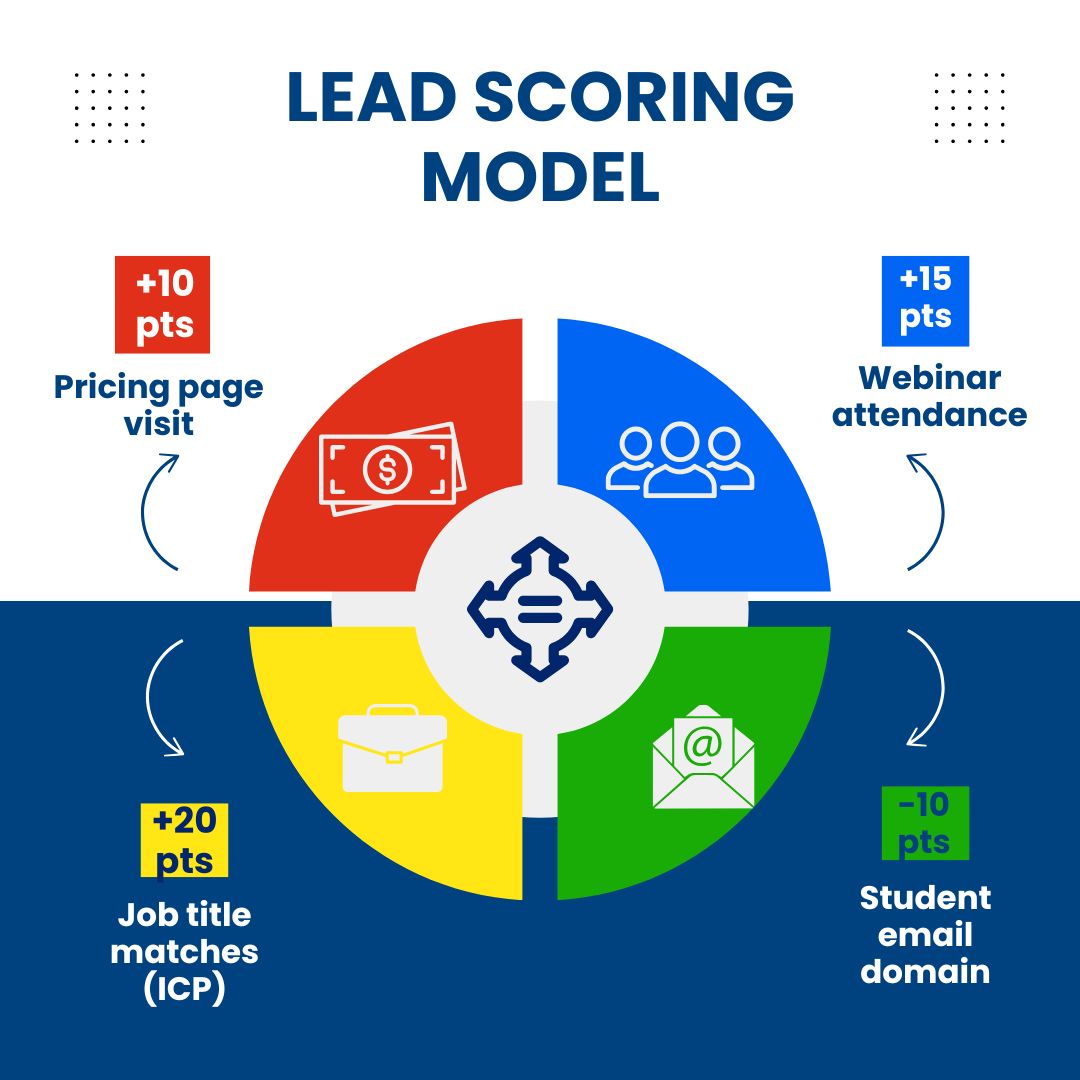
Lead scoring is where HubSpot turns activity into sales clarity (HubSpot Knowledge Base). For example, lead scoring based on user interactions might look like:
Here's one way you can score leads with HubSpot
Pricing page visit – +10
Webinar attendance – +15
Job title matches ICP – +20
Student email domain – −10
Segment by Fit and Intent
Use separate scores for fit (company size, role, industry) and engagement (clicks, visits, replies). This prevents highly active but unqualified leads from crowding your pipeline.
Prioritize Hot Leads Automatically
Once a lead crosses a scoring threshold, HubSpot can:
4 quick tips to prioritize leads that are actually interested in your product
Change lifecycle stage
Alert sales instantly
Assign ownership
Enroll them in a sales sequence
Align Scoring with Your ICP
As an added layer, review closed-won deals quarterly and adjust scoring rules based on what actually converts when you consider your ICP.
Unlock Scalable Lead Growth With HubSpot + Seamless.AI
HubSpot gives teams the structure to capture, organize, and move leads through the funnel. However, when you integrate HubSpot with Seamless.AI, Seamless strengthens what happens at the very start of that process: who enters the system, and with what level of accuracy and context. Together, they close one of the biggest gaps in lead generation: relying on incomplete or outdated data to power otherwise solid workflows.
Specifically, Seamless Data Enrichment helps address problems with incomplete, stale data by automatically enriching missing contact information you have, as well as updating old B2B sales lists.
Let’s say you went to a conference, met a prospect you’re interested in doing business with, and you got their name and their company, but forgot to get their email? Data Enrichment will get you their email address, cell phone, and more so you can reach out with the perfect message.
When Seamless.AI enriches HubSpot, lead records don’t stop at names and emails. Sales and marketing teams gain access to verified, real-time contact data (even contact data for that hard-to-reach CEO), firmographic details, and account context that sharpen segmentation and make outreach more relevant from the first touch.
This pairing also changes how the pipeline gets built. Instead of waiting for inbound signals alone, teams can proactively identify and engage the right accounts, then manage those leads inside HubSpot with consistent lifecycle logic.
At Seamless.AI, we’re focused on making the data behind your systems stronger, so the tools you already rely on can perform at their best. Explore our services today.
Sales intelligence and prospecting expert with years of experience to help sales teams grow and hit quota. Voted one of the top startups in America and rated as the highest software in Customer Satisfaction from G2 best software awards in 2025. Join our Reddit community for more product updates and sales tips. https://www.reddit.com/r/Seamless_AI/