Using Seamless with HubSpot’s Breeze Prospecting Agent
This article explains how to connect Seamless as a data source in HubSpot’s Prospecting Agent. It covers the required HubSpot and Seamless access, where to find the Prospecting Agent, how to select Seamless from the integrations section, and key setup notes to ensure the connection is completed successfully.
HubSpot's Breeze Prospecting Agent is an AI agent built directly into HubSpot Sales Hub that monitors your enrolled accounts for buying signals, identifies decision-makers, and drafts personalized outreach for your reps automatically. To find and enrich new contacts, the agent requires a connected data source.
Seamless is available as a native data source for the Breeze Prospecting Agent. Once connected, the agent will use Seamless to source verified contact data, including emails, direct dials, and enriched contact records, and automatically enroll new contacts into your active plays without your reps ever leaving HubSpot.
Before You Get Started
Please review the following before connecting Seamless to the Breeze Prospecting Agent:
- You must have a Seamless account to use this integration.
- You must have HubSpot Sales Hub (Starter, Professional, or Enterprise) to access the Breeze Prospecting Agent.
- HubSpot currently supports one external data source at a time in the Prospecting Agent. If you have another data provider connected, you will need to switch it to Seamless.
- You must be a Super Admin or have Prospecting Agent permissions enabled in HubSpot to complete this setup.
How to Connect Seamless as Your Data Source
Before connecting Seamless, confirm the Prospecting Agent is ready to use.
In HubSpot, make sure:
- Your email inbox is connected.
- The Prospecting Agent has access to send or draft outreach from the appropriate inbox.
- Required AI settings are enabled.
- You have permission to access and manage the Prospecting Agent.
If these items are not configured, HubSpot may prevent you from connecting or using a data source.
Go to the Integrations Section
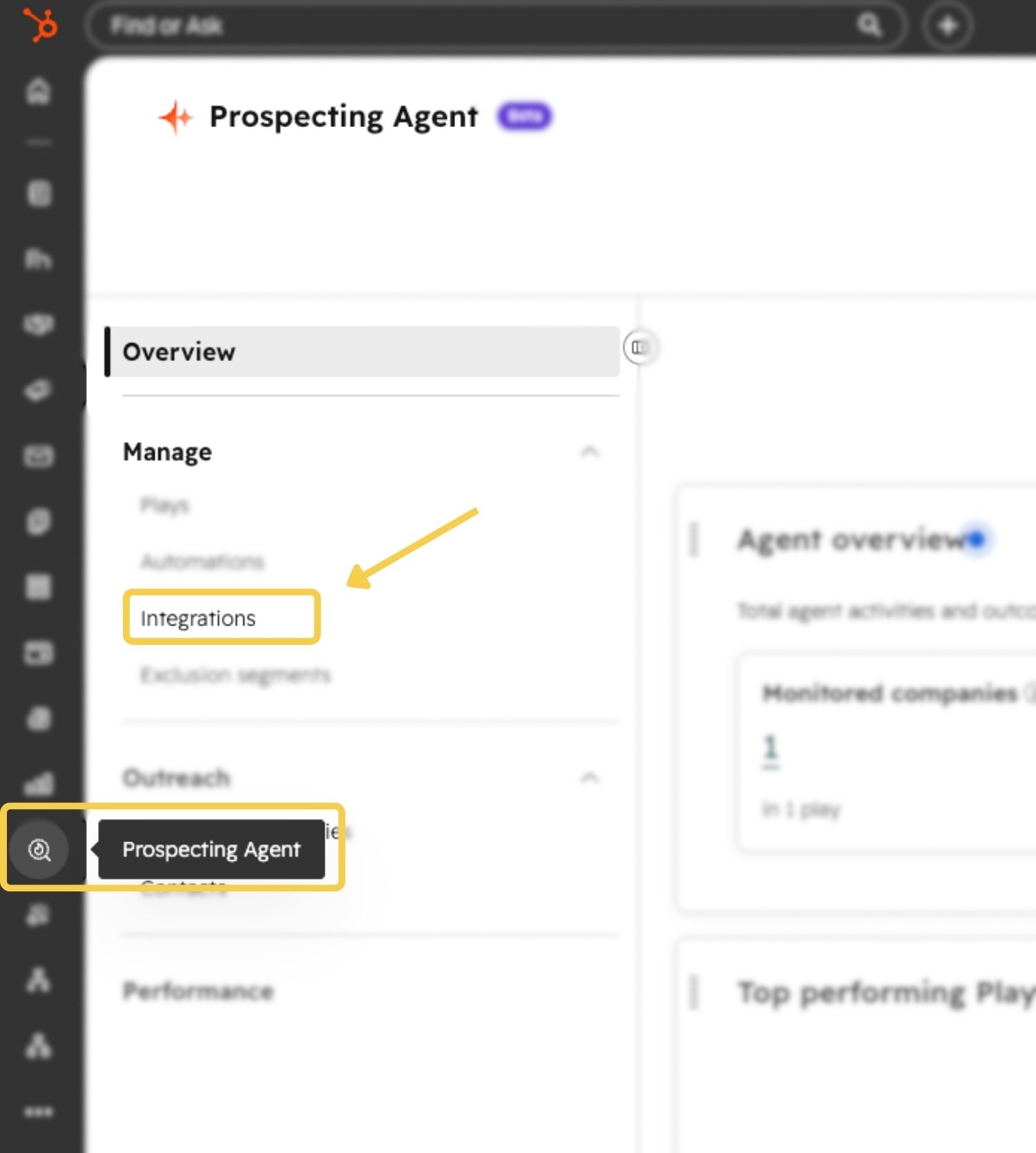
From the Prospecting Agent overview page, locate the Integrations section.
This section displays the available data source integrations that can be connected to the Prospecting Agent.
Select Seamless as the Data Source
- In the Integrations section, find Seamless.
- Click the Seamless option.
- Follow the prompts to sign in to your Seamless account.
- Authorize the connection between Seamless and HubSpot.
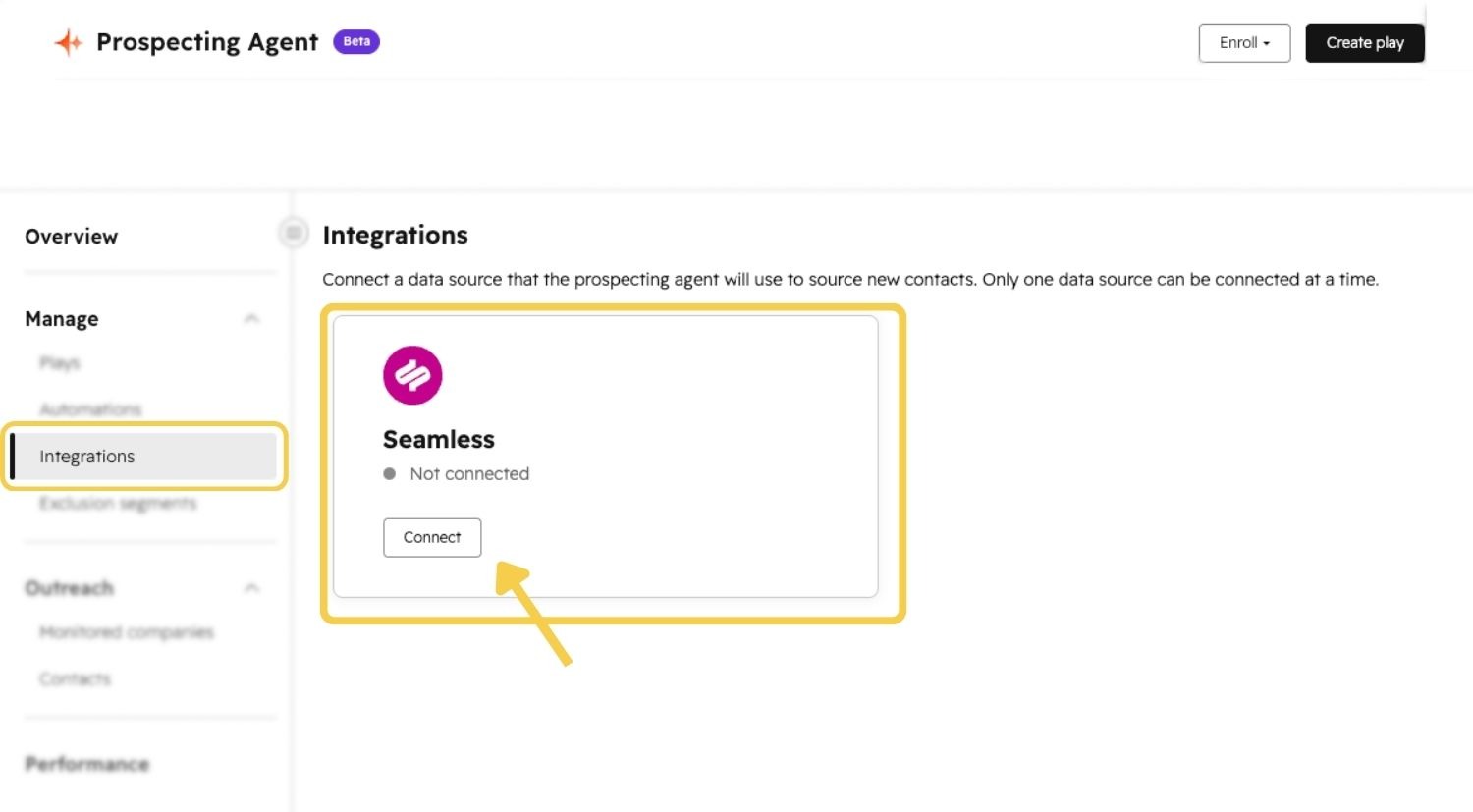
Once connected, Seamless will be available as the data source for HubSpot’s Prospecting Agent.
Confirm the Connection
After completing the sign-in and authorization steps, return to the Prospecting Agent integrations area and confirm that Seamless appears as the connected data source.
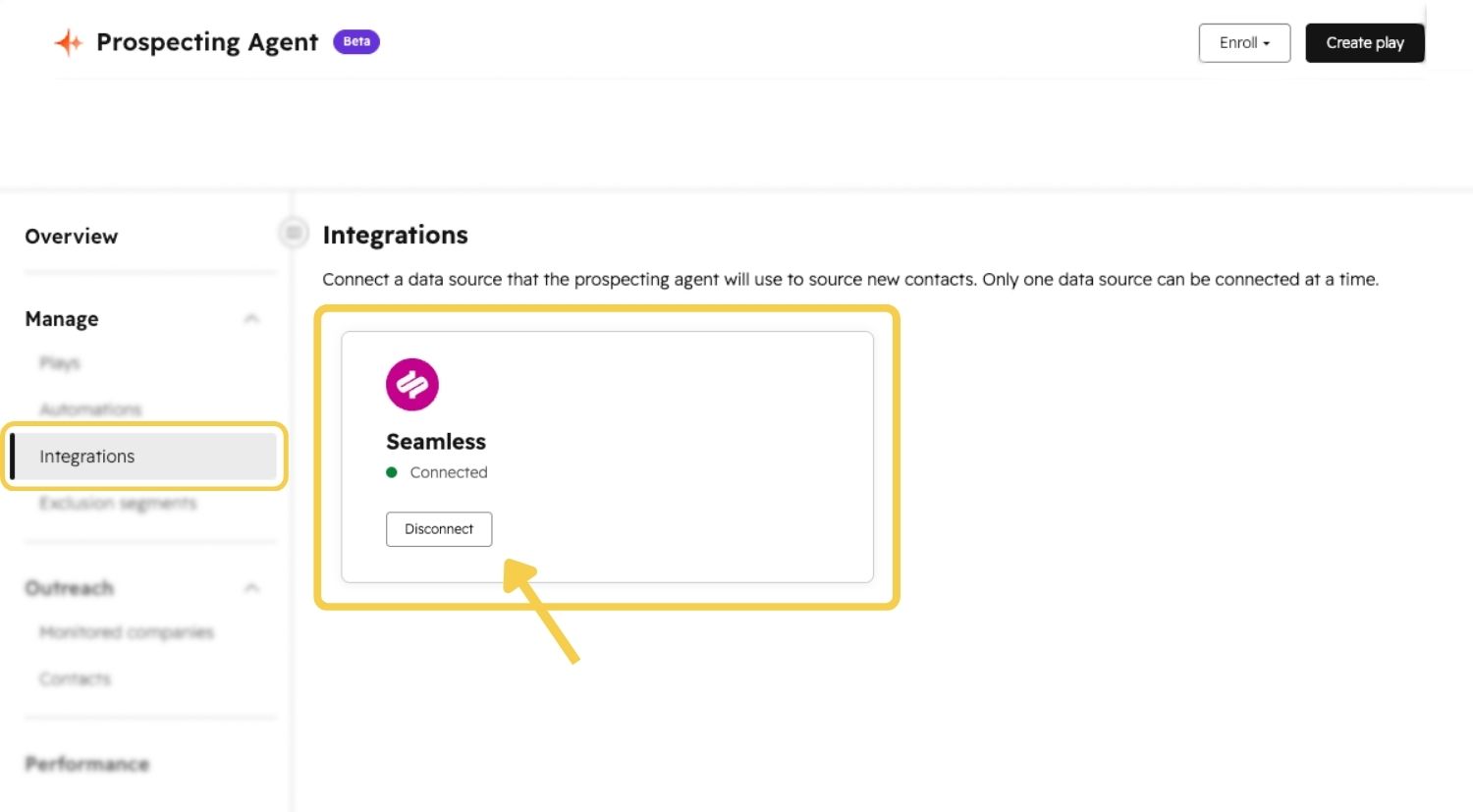
If Seamless does not appear as connected, try refreshing HubSpot or repeating the connection process.
Once Seamless is connected, HubSpot’s Breeze Prospecting Agent can use Seamless as the contact data source for active prospecting plays. The agent can identify relevant contacts, enrich contact details, and support personalized outreach workflows directly inside HubSpot.
Your reps do not need to leave HubSpot to access Seamless-powered contact data through the Prospecting Agent workflow.
Using HubSpot with your Seamless Data Source
Once Seamless is set as your data source, the Breeze Prospecting Agent will:
- Source new contacts from the Seamless database that match your enrolled accounts and ICP criteria.
- Enrich contact records with verified emails, direct dials, and 100+ additional data points including firmographics, technographics, and job history.
- Enroll contacts into active plays automatically so the agent can draft and send personalized outreach on behalf of your reps.
- Sync all activity back to HubSpot so your CRM stays up to date without any manual data entry.
Additional Resources
For more information on setting up and using HubSpot’s Breeze Prospecting Agent, review HubSpot’s documentation on Breeze and buying signals in the Prospecting Agent.
Check them out here: Understand Breeze and Use buying signals in the prospecting agent