
Ask AI to research, personalize and sell for you
AI Fields completes any task like contact research, company info, lead qualification, buying signals, competitors, pain points, write emails, create call scripts, personalized outreach, and whatever else you need to know about the people you sell to.

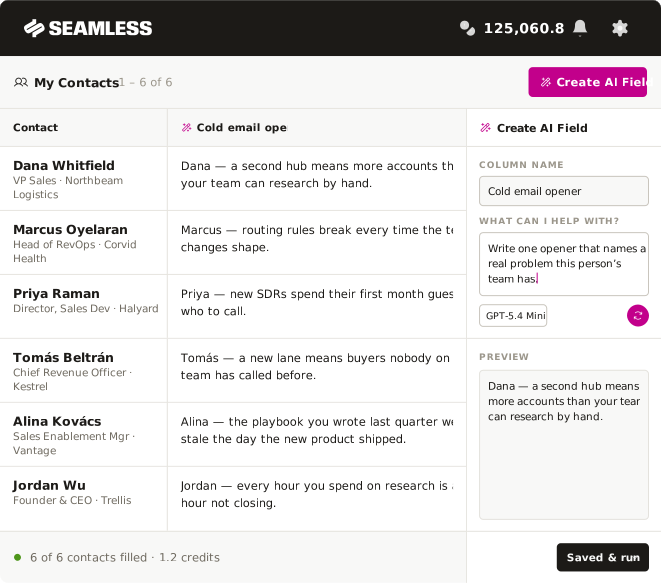
Get custom intelligence for every contact and company
A full walkthrough on AI Fields: name the AI field, write the prompt, preview on one contact, then run it across your entire list. This video is enough to get you started on building your first AI field in under a minute.
One prompt to research your entire list
Funding rounds, competitors, tech stack, the pain points behind a title, an opener for a call or email — whatever you need to know, AI Fields can research it across every prospect on your list. Pick a prompt below and watch how AI Fields work.


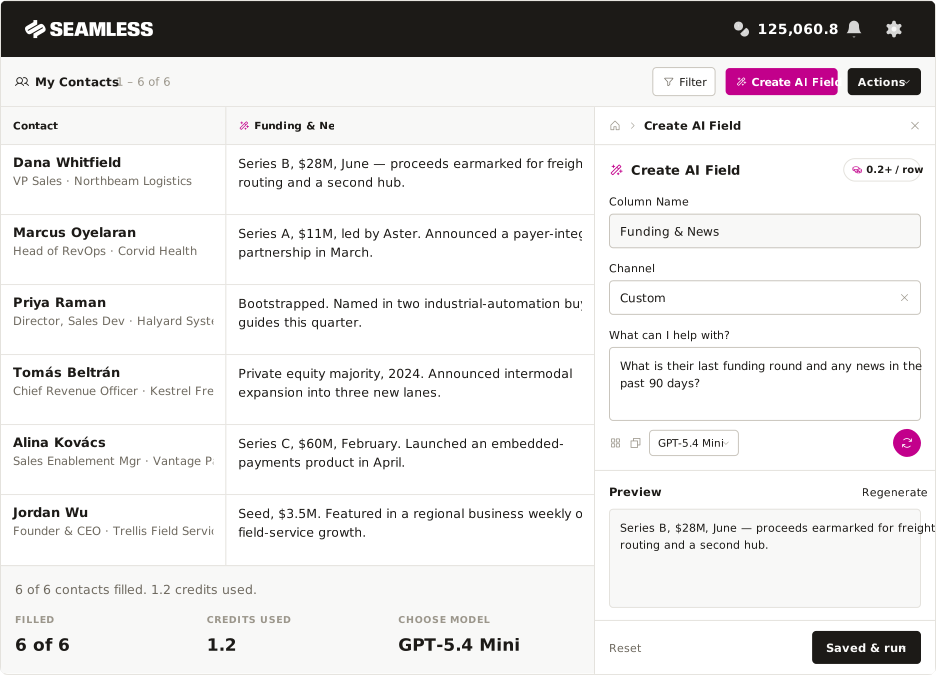
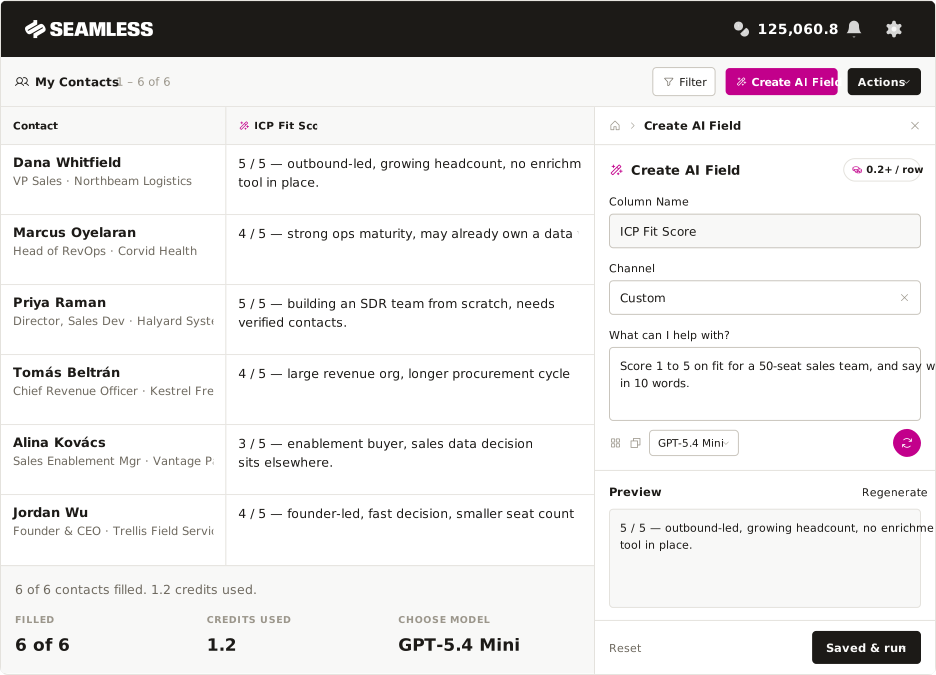

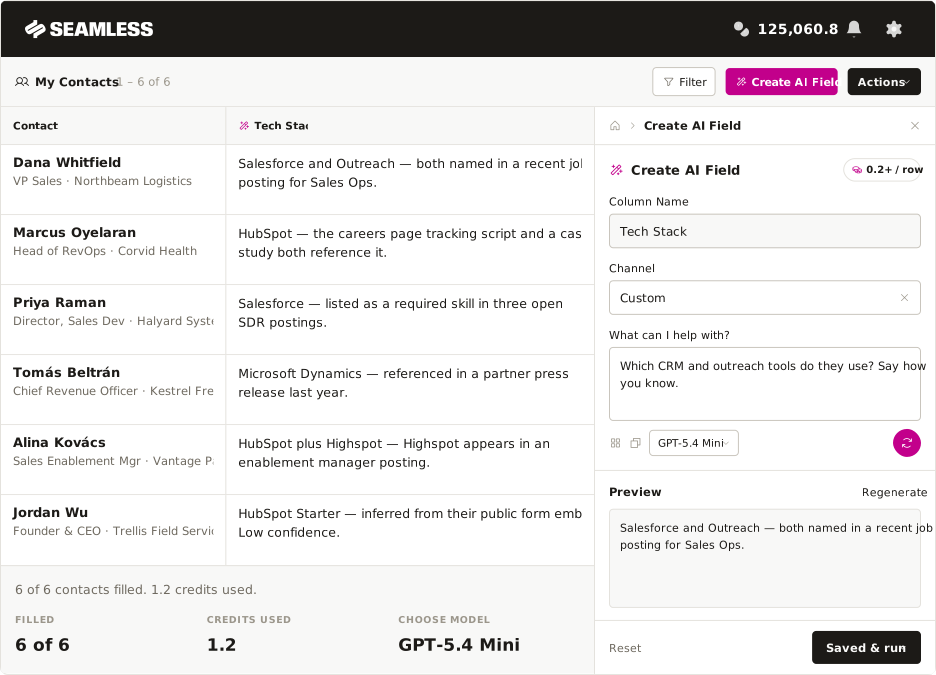

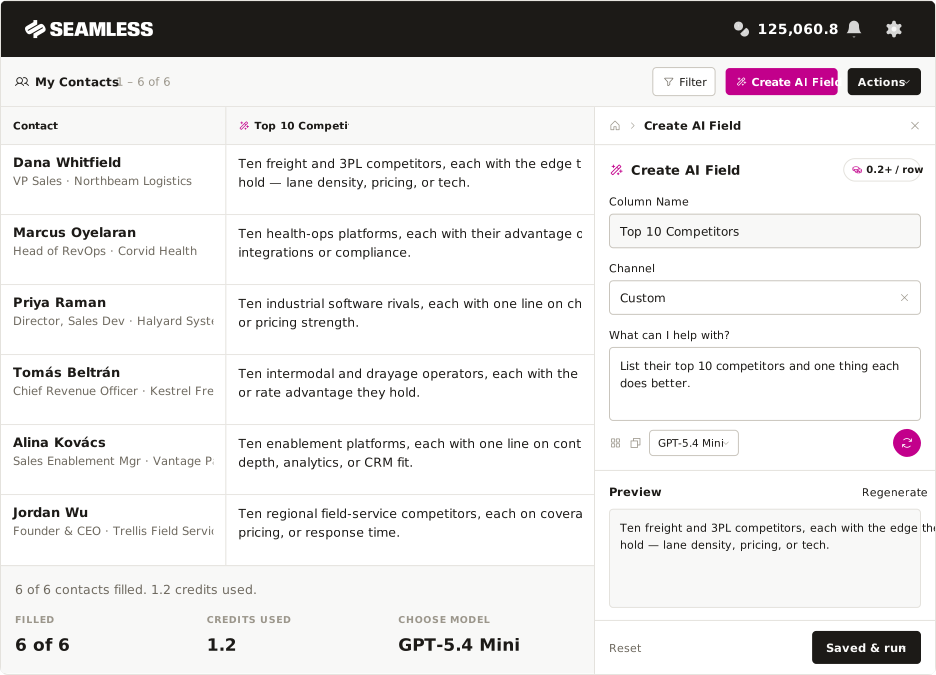
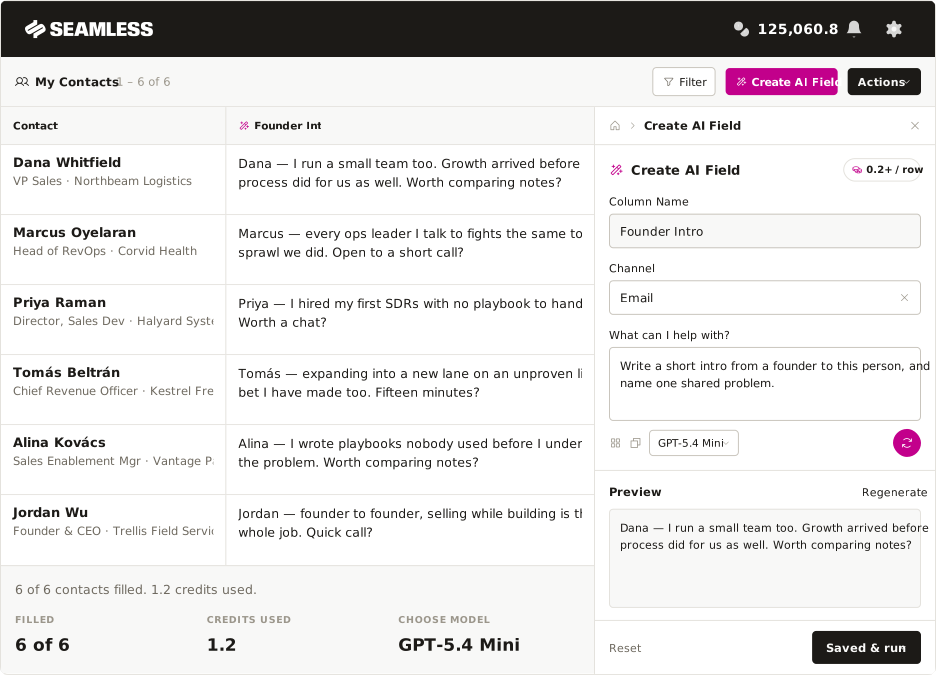
Stop researching contacts one at a time
Every personal message starts with the same errand: open their LinkedIn, open their website, search for news, paste it all into a chatbot, then write the line. You will do that for your top few prospects. You will not do it for the other five hundred. AI Fields runs that errand for every contact at once.

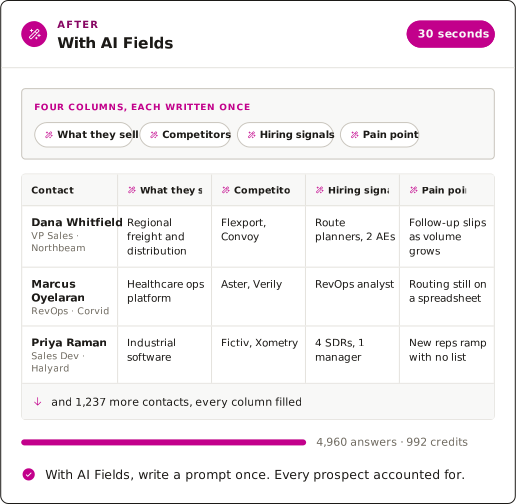
Run it on your selection, your current filter, or every contact in My Contacts.
AI Prompts use credits based on the prompt you write and the work you ask AI to do.
Write the prompt, run it on a single contact, and see exactly what the whole list will return.
Everyone can use AI Fields
AI Fields is not just for cold outreach. Sales, RevOps, marketing, recruiting and customer success all work the same contact list, and each one needs something different from it. Here is the first column each role builds, and what it changes for them.

SDRs
Every dial opens with a real reason instead of a check-in.


AEs
Walk into discovery knowing what changed at the account.

Sales leaders
Your best rep’s research becomes the whole team’s default.

RevOps
Score and enrich every record so reps only work the accounts worth working.

Marketing
Segment on hiring, funding and tech stack, not firmographics.

Founders
The research and the intro are written before you sit down.
Every answer starts from verified Seamless data
Before it answers, AI Fields reads the contact record: verified email and direct dial, title and seniority, company, industry and size, plus the 100+ data points Seamless refreshes in real time. That is why the answer is about this person at this company — not a guess assembled from a name.

If an email comes back invalid, the credit is refunded automatically. No forms, no support ticket.

SOC 2 Type II, ISO 27001, GDPR and CCPA. Seamless focuses on having the most secure data.

Not enough on a contact to answer honestly? You get N/A and no credit charge, never an invented answer.

