
Job Changes Search Filter
An overview of the Seamless Job Changes Search Filter, a premium feature that helps identify and prioritize contacts who have recently changed roles, been promoted, or joined new companies. Learn the steps to enable and use the filter, explanations of filter types and time frames, ways to view job change insights in Contacts Search and My Contacts, and how to leverage job change data through the contact profile and data enrichment.
The Job Changes filter allows you to track and engage with contacts who have recently transitioned roles, changed companies, or taken on new titles. Integrated directly into the Contacts Search filter panel, it enables smarter prospecting, aligns with how sellers qualify leads, and helps you prioritize outreach based on real-time career movement signals.
What Is the Job Changes Filter?
Job Changes identifies contacts who have recently made a career move, a key window of opportunity when they’re more likely to evaluate new tools, vendors, or solutions.
Whether someone has joined a new company or taken on a more senior role, Seamless.AI helps you capitalize on these high-intent buying signals early.
How to Use the Job Changes Filter
Users can search for contacts who have recently changed jobs through the Job Changes filter available in Contacts Search. Start a Contacts Search as typical and open the Job Changes filter to target your desired contacts.
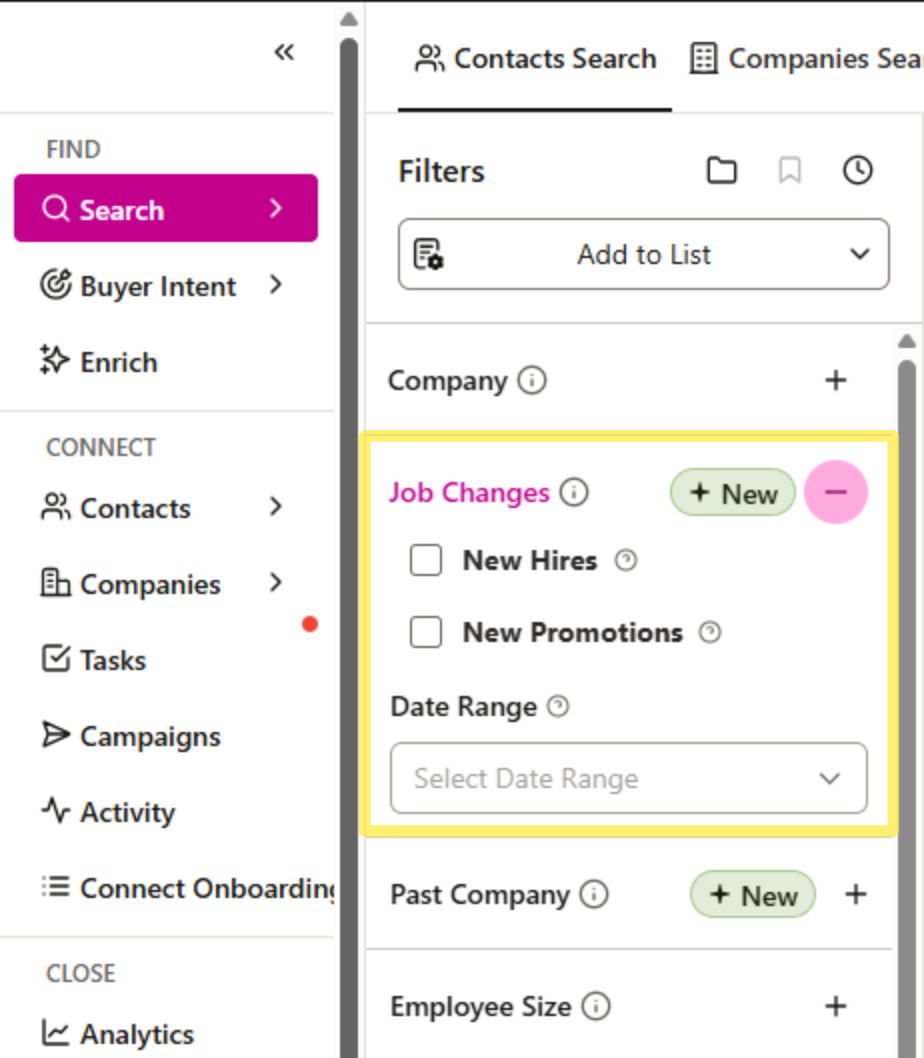
Filter Options
Narrow your search based on the type(s) of job change detected:
Date Range - Set a date range to filter contacts based on when their job change was detected
- Past 60 days
- Past 90 days
- Past 180 days
- Past 365 days
New Hire - Individuals who have recently joined the company. New people arriving at the company.
New Promotion - Find decision-makers who have recently been promoted within their company.
Pro Tip: Layer Job Changes with other filters such as industry, seniority, tech stack, or location to pinpoint your Ideal Customer Persona with precision.
Past Companies Search Filter
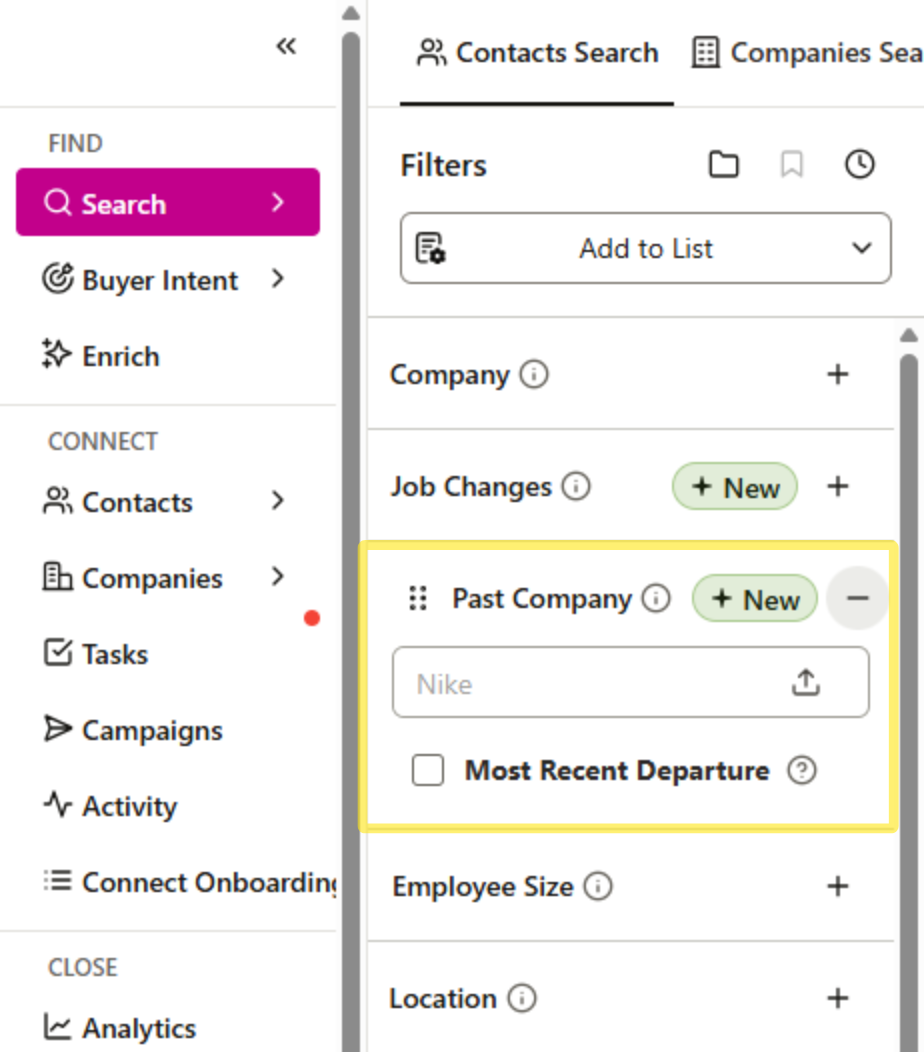
In addition to the Job Change Filter, users can also search for contacts based on previous companies. The Past Companies filter allows you to search up to 10 companies where contact(s) previously worked. Using the Past Companies filters will show contacts that have worked at that company anytime in their prior work history.
Select the Most Recent Departure option to filter to contacts whose most recent position (within the past year) was with the included company. This filter can be key for finding contacts who have moved from a desired company.
To learn more about the Past Companies Search filter, check out this article: Past Companies Search Filter
Use Cases
The Past Company filter can be especially useful when champion product users at their previous company transition to a new company, making it a great opportunity to re-engage with them at their new company.
Additionally, recruiters can target prospects who have certain prior work or company experience to target for open roles at your company.
Viewing Job Changes
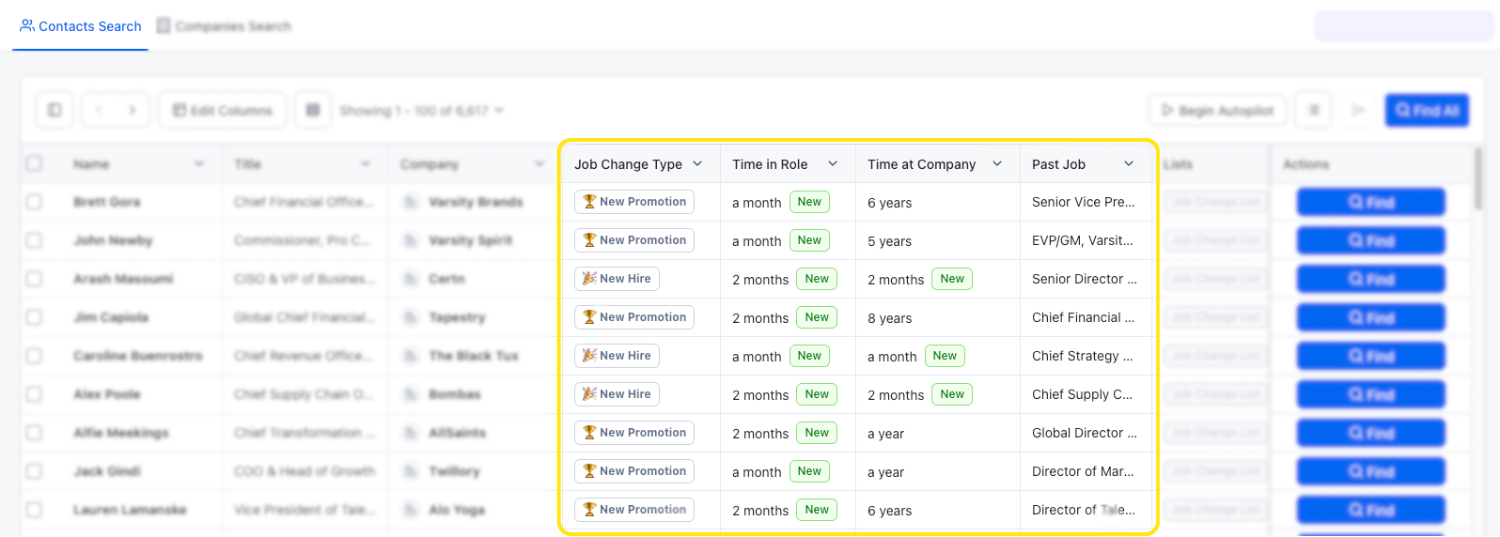
Users can view a contact’s job change directly in Contacts Search using the following filters.
Job Change Type - The job change will be depicted by either a “New Role” and “New Promotion” emoji.
Past Job - A contact’s previous title and/or company (if available)
Time in Role - A contact’s time in their current role
Time at Company - A contact’s time in their current company
If you do not currently see these columns, click the “Edit Columns button to select and display the columns.
After finding and saving contacts in a Contacts Search, they will automatically be saved to the My Contacts page. From here, you can view a contact’s job change information in a few different ways.
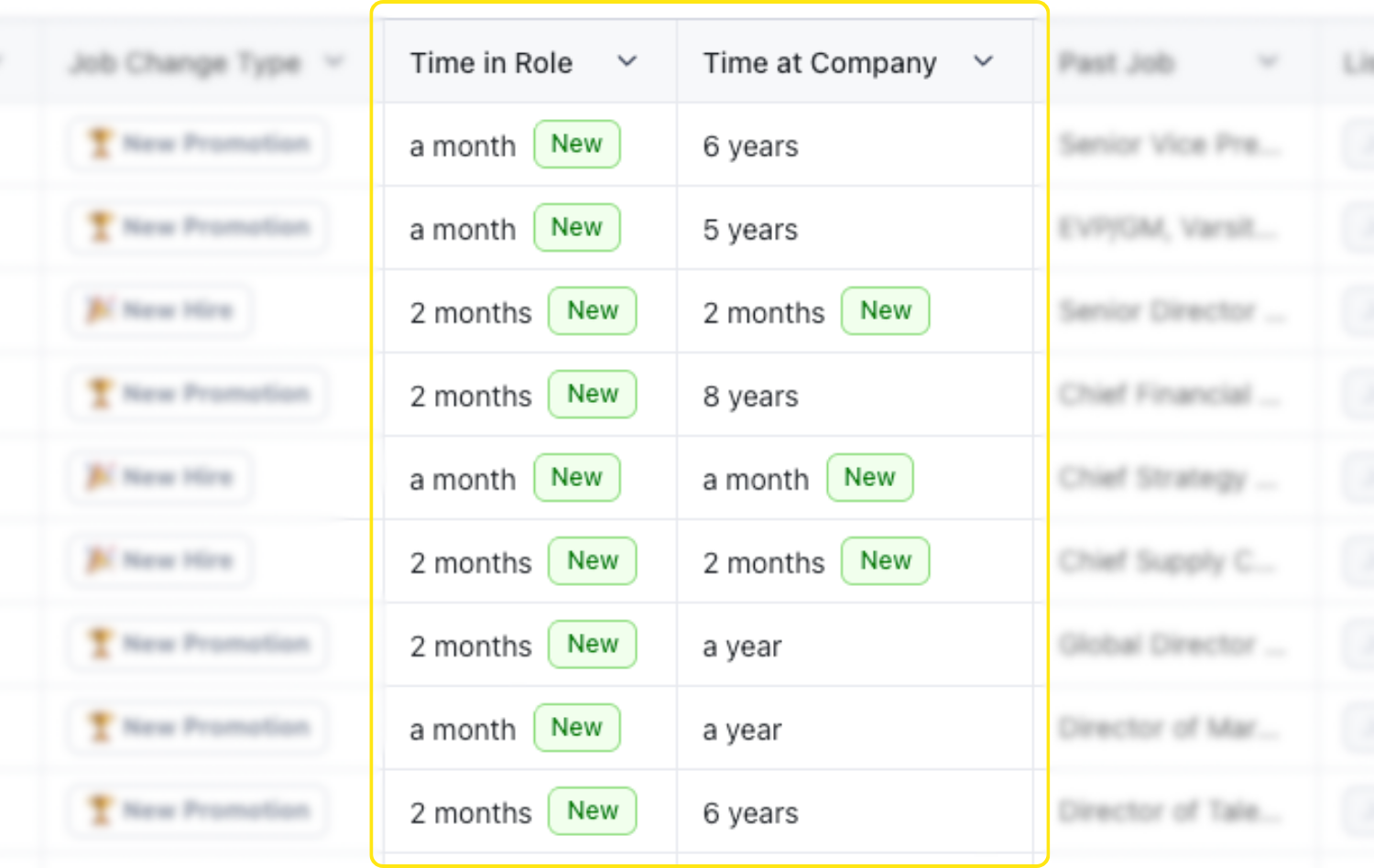
Green “NEW” Badge
Contacts with a recent job change will show a green NEW icon in the Time in Role and Time in Company columns.
This badge appears for 90 days after a change is detected.
It signals a fresh opportunity and can be used to prioritize outreach.
Viewing and Filtering in My Contacts
In the My Contacts page, users can filter to saved contacts based on preferred job changes. You can continue to refine your list within the My Contacts view using:
- Job Change Date Range - Set how recently you want the job change to have occurred
- Job Change Type - Set if to view contacts based on those who have a New Company Detected, a New Title Detected, or No Change Detected
In the Job Change Type Column, you can view a contact’s recent change weather it is a “New Promotion” or a “New Hire”
New Promotion - A contact received a new title, but remains at the previous company.
New Hire - A contact has started at a new company.
Exploring Job Change Details on the Contact Profile
To view detailed job change information for an individual contact:
- Open the Contact Flyout Profile.
- Go to the Contacts section.
- Find the Job Changes card.
Note: You can reorder or collapse widgets in the flyout profile to customize your view.
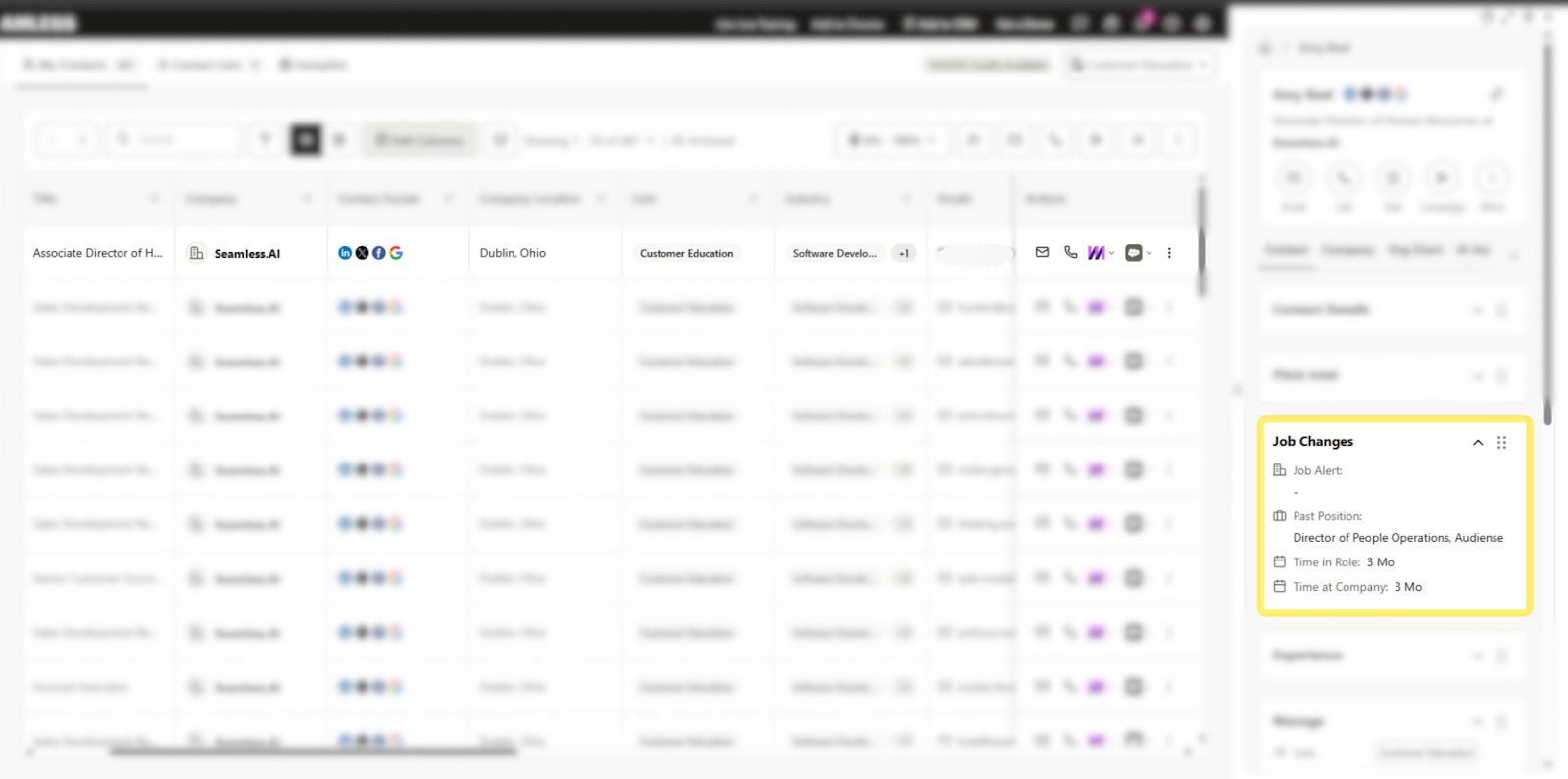
Here, you’ll see:
- Green NEW icon on the new role
- Job Alerts - New Hire or New Promotion
- Past Position - Previous title and company (if available)
- Time in Title and Time at Company (if available)
Job Changes Use Cases
Targeting Newly Promoted Decision-Makers
Zero in on contacts who have recently been promoted into leadership roles such as VP, Director, or C-level. These decision-makers are often setting strategy and evaluating new vendors within their first 90–180 days.
Focus on filter options such as: New Promotions within the past 180 Days, and seniority levels of Manager and above.
Re-Engaging Champion Users
Identify product champions who used your solution at a previous company and re-engage them now that they’ve transitioned into a new role. Champions often advocate for bringing trusted tools into their new organization.
Focus on filter options like: New Hires within the past 365 Days, and Past Company being a one of your Current Customers.
Backfilling Open Roles
When someone is promoted, their prior role is often left vacant. Recruiters can use job change signals to find companies likely to be hiring for replacements.
Focus on filter options such as: New Promotions within the past 90 Days, in the Sales, Marketing, Engineering department.
Expanding Within Existing Accounts
Spot employees within your customer accounts who have recently been promoted. A promotion often indicates team growth and new budget authority, creating opportunities for upsell or cross-sell.
Focus on filter options such as: New Promotions within the past 365 Days, and Past Company being one of your Current Customers.
Using Data Enrichment to Track Job Changes in Uploaded Lists
If you want to update a previous list of contacts with job change information in bulk, it is recommended to use Data Enrich. Using the Enrich with Job Changes feature simply upload a CSV file of contacts, and we will identify recent job changes (i.e., new companies or new titles) and update profile information. This requires a Data Enrichment license.
To learn more, check out the Data Enrichment article.
