
Past Companies Search Filter
The Past Companies search filter in Seamless lets you find contacts based on where they’ve worked before, not just their current company. Enter up to 10 past employers to uncover professionals with relevant experience or ties to competitors. Use the Most Recent Departure option to focus on contacts who’ve recently left those companies. Perfect for re-engaging former champions, recruiting talent, or connecting with recently departed executives for timely, targeted outreach.
Past Companies Search Filter
Users can search for contacts based on their previous companies, in addition to other focused filters. The Past Companies filter allows you to enter up to 10 companies where contacts have previously worked.
Using this filter will surface contacts who have worked at those companies anytime in their career history, regardless of where they are employed today.
An additional option, the Most Recent Departure checkbox further refines results to only include contacts whose most recent position (within the past year) matches one of the companies
How the Past Companies Filter Works
This search filter is only available within a Contacts Search. Users can include or exclude up to 10 companies per search.
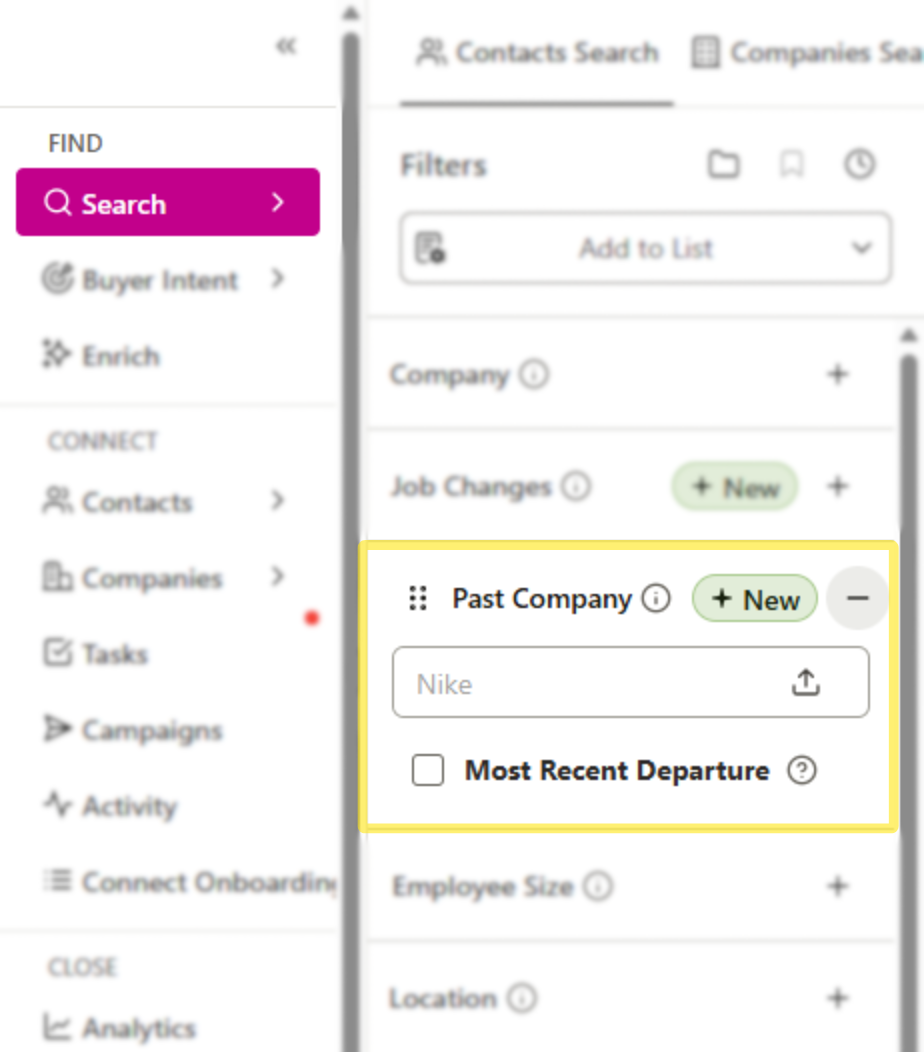
After launching the search, your results will include contacts who have worked at those companies at any point in their prior work history.

Pro-Tip
Pro Tip - Combine with Industry/Title Filters - Narrow your results further by layering in job titles or industries. Example: Former Salesforce VPs who now run Sales Ops at SaaS companies.
Most Recent Departure
As an additional filter within Past Companies, the Most Recent Departure checkbox can be enabled. When enabled, your search results will only include contacts whose most recent previous employer matches your included companies.
Pro-Tip
Pro-Tip - Focus on Recency - Enable Most Recent Departure to ensure you’re targeting people with the freshest competitor experience.
For Example:
If a contact worked at Salesforce → HubSpot → Seamless (current), searching “HubSpot” with Most Recent Departure checked would surface them.
Searching “Salesforce” would not, since it wasn’t their most recent departure. However, if “Salesforce” is searched as Past Company, without “Most Recent Departure", the contact would appear since they have worked at Salesforce previously.
Example Use Cases
Targeting Recently Departed Executives - Zero in on leaders who just left a competitor. These individuals may be open to new partnerships, vendors, or career opportunities.
Re-Engaging Champion Users - Identify product champions who previously used your solution at another company and re-engage them now that they’ve transitioned into a new role.
Building Alumni Lists - Build lists of professionals who previously worked at specific organizations (e.g., Google, Oracle) to target alumni communities.
Recruitment Outreach - Recruiters can find prospects with targeted past company experience to match open roles.
Layering with Job Changes - Combine the Past Companies filter with Job Changes to find contacts who both left a competitor and recently started a new role, prime timing for outreach.
Summary
The Past Companies filter gives you visibility into where professionals have worked before and opens the door to highly targeted outreach. By combining this filter with Most Recent Departure, you can focus on individuals who have just left a competitor or key account, making your outreach more relevant, timely, and impactful.
