
Funding Search Filter
The Funding Filters in Seamless help you find and prioritize companies based on key funding signals, how much they’ve raised, their most recent funding round type, and how recently they received funding. Available in both Contact and Company searches, these filters make it easy to target early-stage startups, fast-scaling expansion companies, or high-budget teams backed by private equity. By adding funding columns directly into your results table, you can quickly compare and act on funding data to build sharper ICP lists and accelerate pipeline creation.
Funding Filters Overview
The Funding Filter allows you to target companies based on how much money they’ve raised, what type of funding round they most recently closed, and how recently that funding occurred.
Whether you’re prospecting high-growth startups, expansion-stage companies, or private equity-backed organizations, Funding Filters help you prioritize accounts that are actively investing and more likely to buy.
Where to Find It
You can access the Funding Filters directly within Seamless's search filters panel.
- Available for Contact and Company searches
- Visible and accessible to all users across all plans
- Funding insights can also be reviewed in your table results view by adding Funding-related columns
How It Works
Funding Filters allow you to narrow your company list based on funding-related criteria. You can apply one or multiple filters at the same time to create broad or highly targeted searches.
Filter Options Available
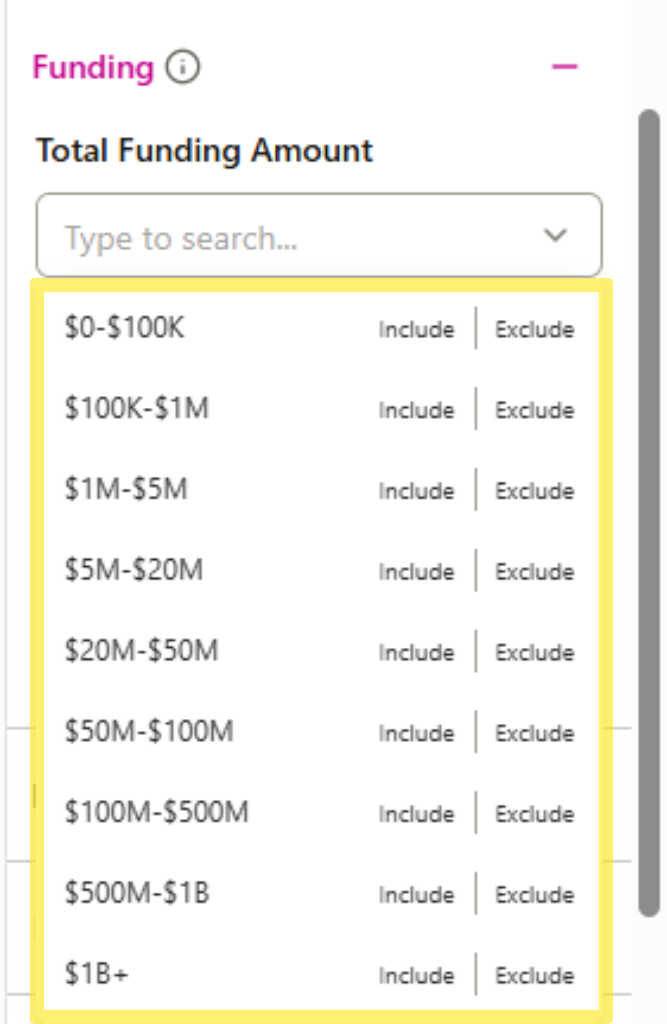
1) Total Funding Amount
Use this filter to search companies based on the total amount of funding they’ve raised overall.
Available ranges include:
- $0–$100K
- $100K–$1M
- $1M–$5M
- $5M–$20M
- $20M–$50M
- $50M–$100M
- $100M–$500M
- $500M–$1B
- $1B+
2) Last Funding Round Type
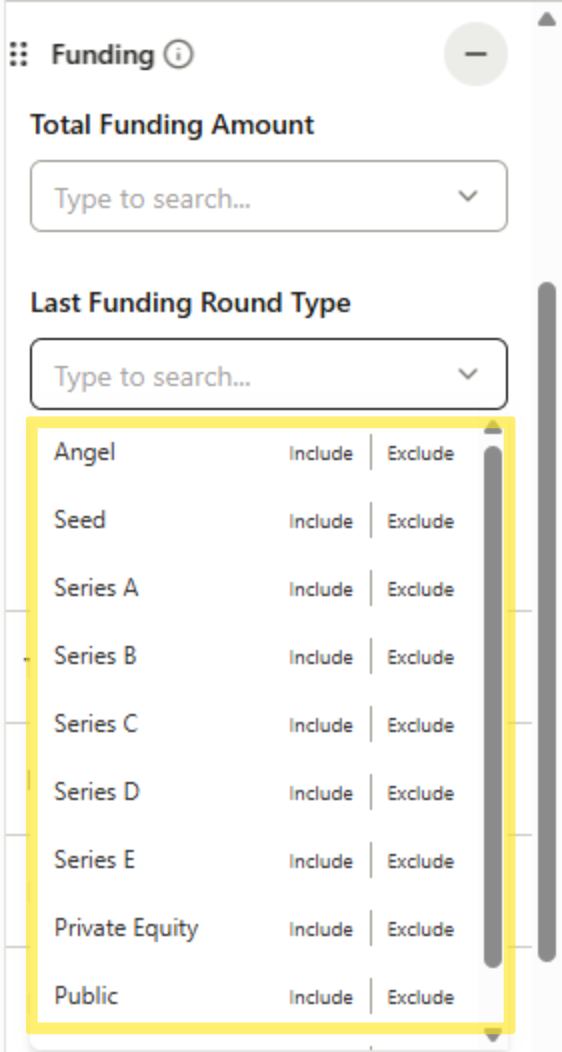
Use this filter to target companies based on the type of their most recent funding round.
Available options include:
- Angel
- Seed
- Series A
- Series B
- Series C
- Series D
- Series E
- Private Equity
- Public
3) Last Funding Date
Use this filter to search based on how recently a company raised their last round.
Available date ranges include:
- Last 90 Days
- Last 180 Days
- Last Year
- Last 3 Years
.png)
Viewing Funding Data in Your Results Table
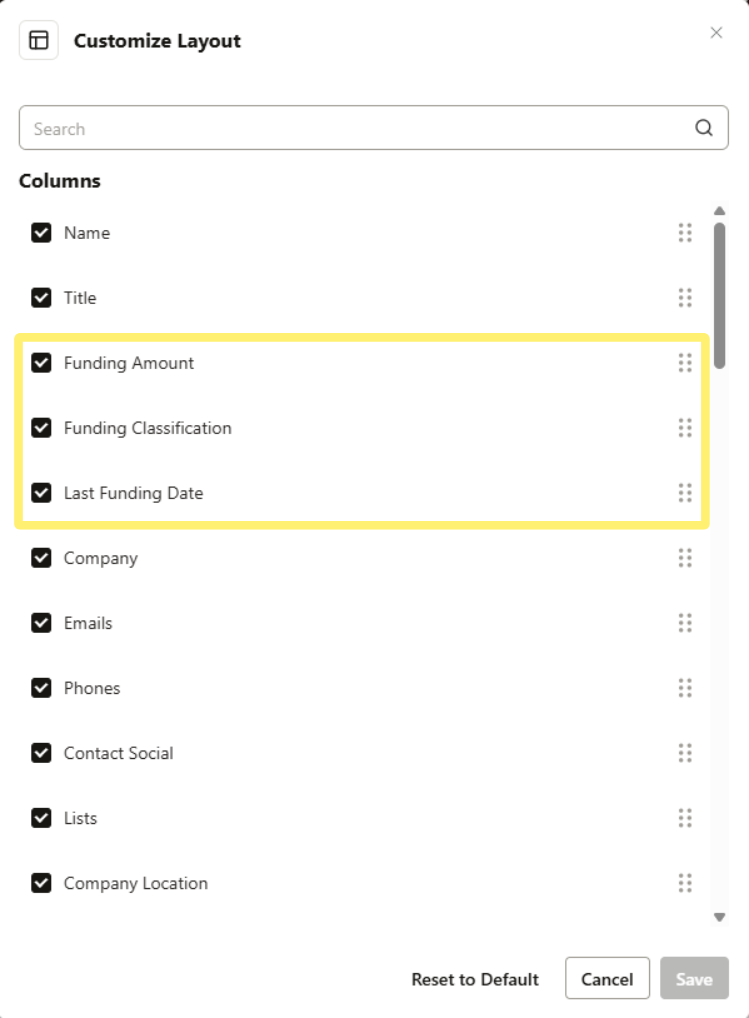
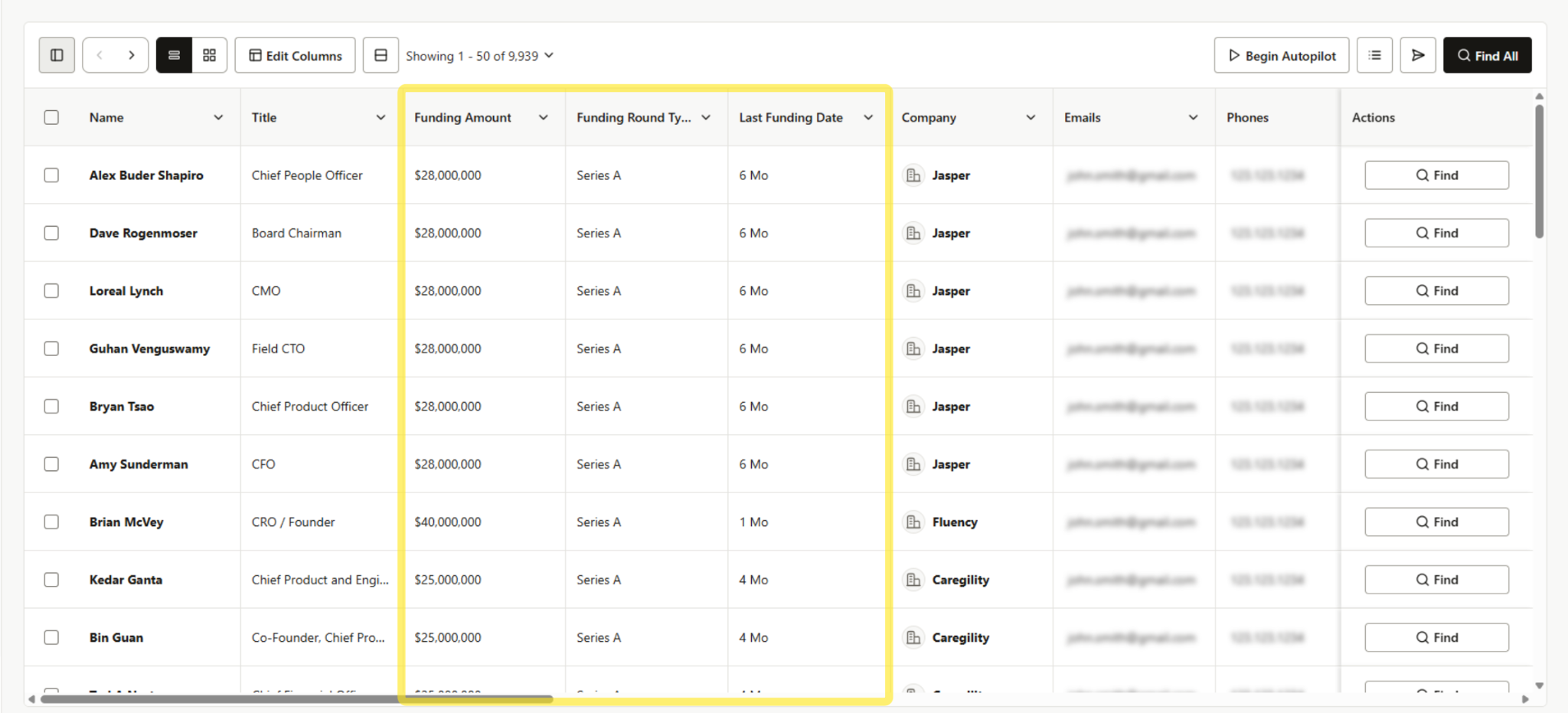
Funding Filters become even more powerful when you add funding details directly into your table view.
Available columns include:
- Funding Amount
- Funding Round Type
- Last Funding Date
This lets you view and compare funding signals instantly right in your results.
Example Use Cases
Early-Stage Startups
Identify companies that are just getting started and likely building their go-to-market motion.
- Total Funding Amount: $100K–$5M
- Last Funding Round Type: Angel / Seed
- Last Funding Date: Last 180 Days
Fast-Growing Expansion Companies
Target scaling teams actively investing in sales and outbound infrastructure.
- Total Funding Amount: $5M–$50M
- Last Funding Round Type: Series A / Series B
- Last Funding Date: Last 90 Days
High-Budget Teams
Find companies with larger budgets and more resources to invest in tools and team growth.
- Total Funding Amount: $100M+
- Last Funding Round Type: Private Equity
- Last Funding Date: Last Year

Pro-Tip
Funding Filters work best when combined with other firmographic and targeting filters to build a stronger ICP-based list. For example: Combine Last Funding Date (Last 90 Days) with Company Size and Industry to isolate companies with both a recent budget and a high likelihood of needing your solution.
Summary
The Funding Filters help you identify companies with momentum and buying power, making it easier to prioritize the accounts most likely to convert. By filtering by Total Funding Amount, Last Funding Round Type, and Last Funding Date, you can quickly build targeted lists based on real growth signals.
When paired with other Seamless AI filters and table columns, Funding Filters turn basic company data into actionable prospecting insights that help you build pipeline faster.
